Add your business info
After this page, your agent will answer questions from your real content — your policies, FAQs, and web pages — instead of guessing. You'll build its library and attach it, all from the dashboard.
A knowledge base is a private library of documents your agent searches during a conversation. When a caller or chatter asks something the agent's instructions don't cover, it looks in the library and answers from your real content instead of guessing. (The technique is called retrieval-augmented generation, or RAG — but you never have to manage a vector database or retrain anything.)
In the dashboard sidebar, click Data sources.
Click New Knowledge Base in the top-right corner. Enter a Name (for example, Company Policies) and an optional Description, then click Create.
The new row shows a status pill that moves from pending to ready (or error if something went wrong behind the scenes). Once it reads ready, you can start adding documents.
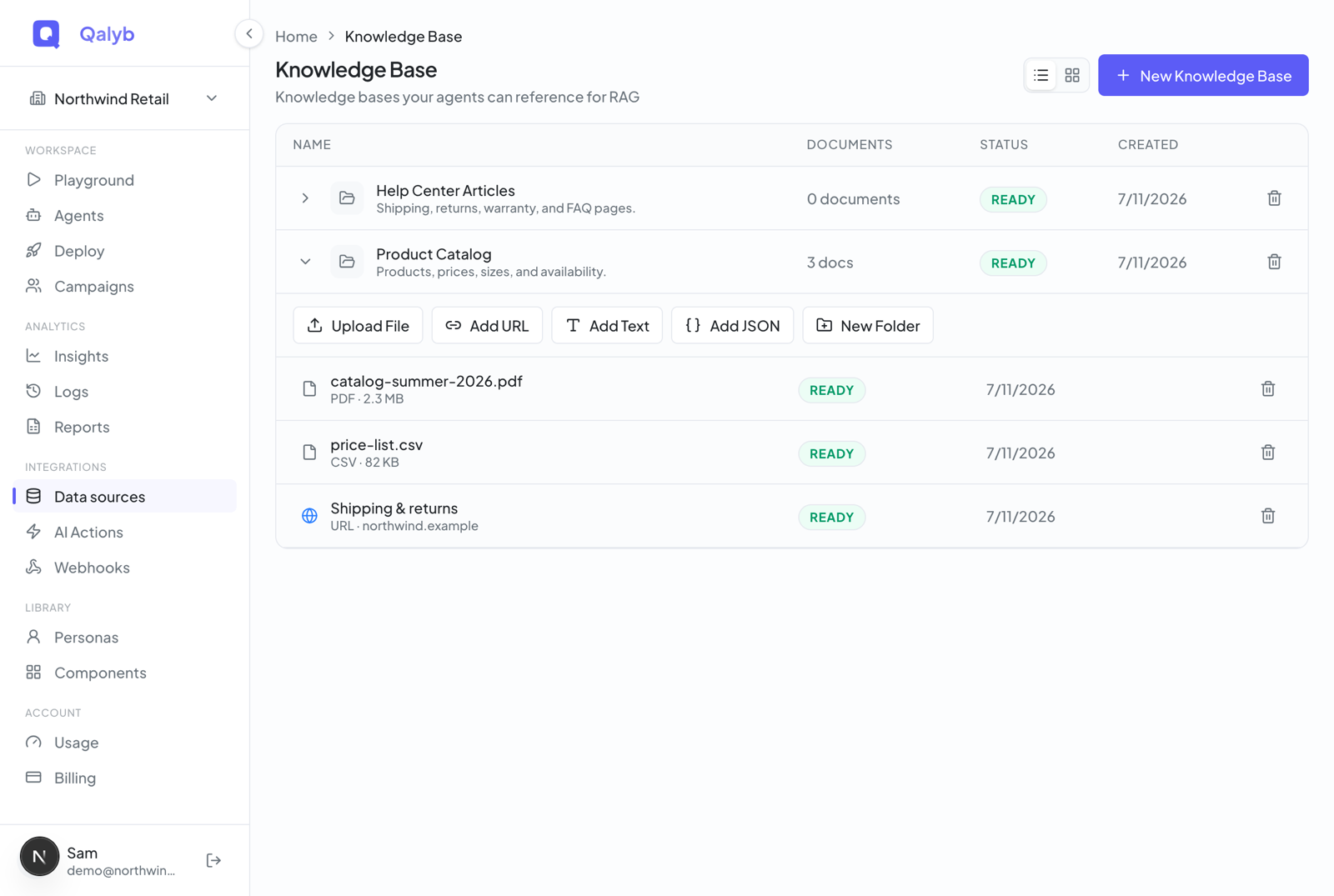
Expand the knowledge base row with the chevron to reveal its toolbar: Upload File, Add URL, Add Text, and New Folder. Add your content whichever way suits it — the three ways are explained just below. Every document tracks its own status as it's indexed.
Open your agent, scroll to the Data sources section (marked with a database icon), and toggle on the knowledge bases this agent should use — the footer confirms how many are enabled. Then save the agent.
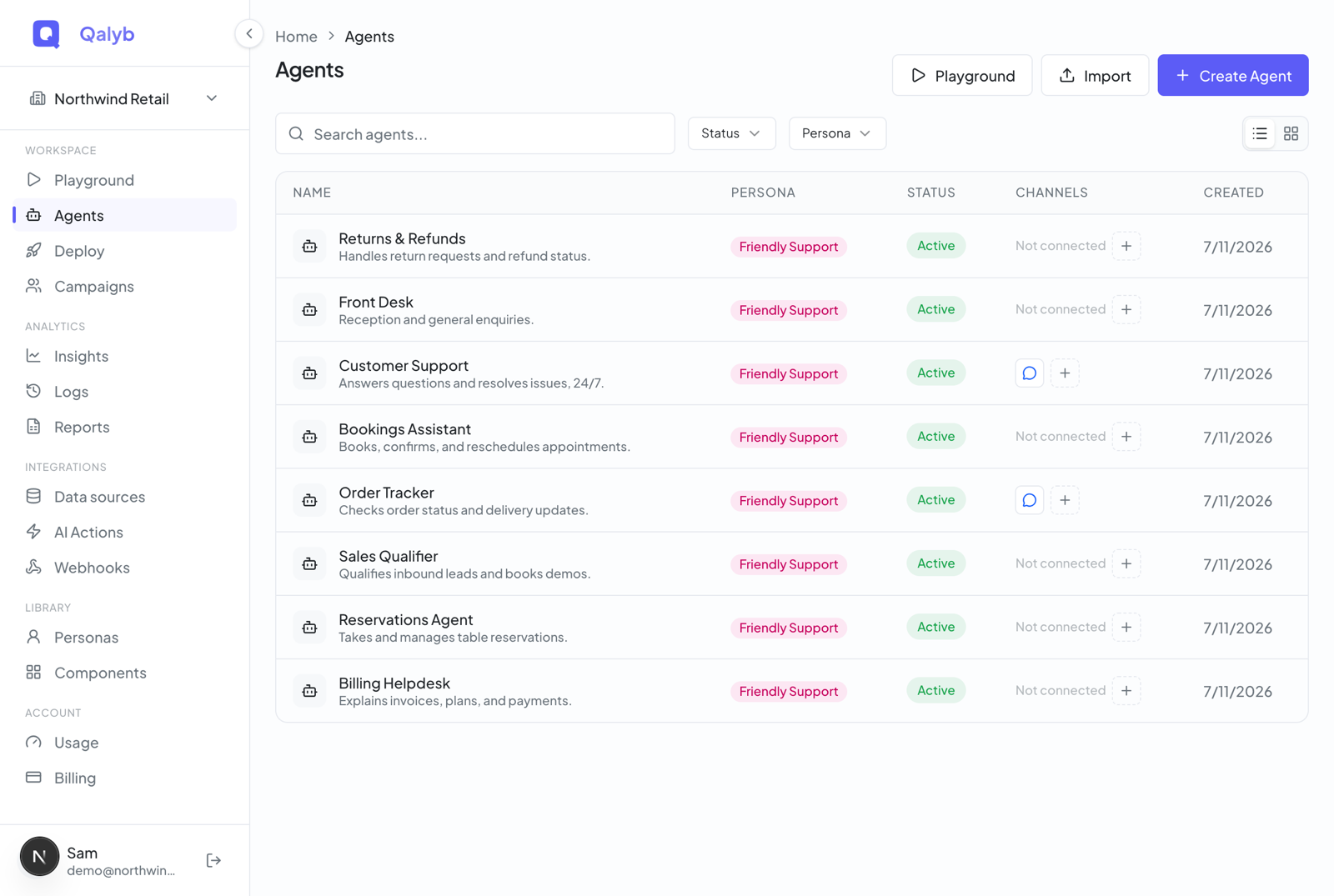
ready. A pending or error one is silently skipped — so if the agent can't find your documents, check the status pill on the Data sources page first.Three ways to add content
Upload files
Click Upload File, or drag and drop files onto the knowledge base row. Each file's status moves from uploading (pulsing blue) to ready (green) — or failed (red) if indexing didn't complete. Files can't be edited in place; to change one, re-upload it. Supported types:
| Category | Formats |
|---|---|
| Documents | PDF, DOCX, XLSX, PPTX (and the older DOC / XLS / PPT) |
| Text | TXT, MD, CSV, JSON, HTML |
| Code | Python, JavaScript, TypeScript, Java, C, and C++ source files |
Link a web page
Click Add URL and paste a web page address. Qalyb reads the page, converts it to clean, editable text, and names the document after the page title (falling back to the site's address) — enter a Name yourself to override it. The row shows processing, then ready.
Web-page documents are the easiest to keep fresh: open one to see its source address, edit the text and Save Changes, or click Re-scrape to pull the latest content from the live page.
Paste text
Click Add Text to paste content directly — handy for FAQs, policies, or snippets that don't live in a file or on a page. Give it a Name, paste the Content (a live counter shows characters used), and save. Text documents stay editable in place.
Keep it tidy with folders
Click New Folder to group related documents inside a knowledge base. When you upload a file, add a URL, or add text, you can target a folder so everything lands in the right place. Folders can be nested, aren't searchable themselves, and don't count toward a knowledge base's document total.
How your agent uses it
Behind the scenes, every knowledge base is backed by a managed search index, and files you upload are also stored so you can download them later. There's no re-training step: adding, editing, or re-scraping a document re-indexes it immediately, and once both the knowledge base and the document show ready, the agent can find it on its next conversation.
The search answers strictly from your documents — when nothing matches, the agent gets a clear "no relevant information found" rather than an invented answer from outside your content.
Who can do what
Both admins and members can create knowledge bases and add documents. Deleting a knowledge base, a document, or a folder is admin-only — members don't see the trash icons. Plan your roles accordingly before handing off content management.
Knowledge Qalyb builds for you
You don't always have to build the library by hand. When you create an agent with the AI wizard, anything you provide — your website, extra URLs, uploaded files, pasted text, or web-research findings — is bundled into a new knowledge base named <Agent> Knowledge Base and attached to the agent for you. Afterward it appears on the Data sources page like any other, ready to edit or extend.
What it costs
Each knowledge base lookup the agent makes during a conversation is metered as one query event.
For developers
Everything above is also available over the REST API. Create a knowledge base (the search store is provisioned automatically):
curl -X POST https://api.qalyb.ai/knowledge-bases \
  -H "Authorization: Bearer sk-live-..." \
  -H "Content-Type: application/json" \
  -d '{
    "name": "Company Policies",
    "description": "Refund, shipping, and warranty rules."
  }'
Upload a file as a multipart form, with the file in a field named file (the optional parentFolderId targets a folder):
curl -X POST https://api.qalyb.ai/knowledge-bases/kb_abc123/documents/file \
  -H "Authorization: Bearer sk-live-..." \
  -F "file=@./refund-policy.pdf" \
  -F "parentFolderId=fld_xyz789"
Add a web page:
curl -X POST https://api.qalyb.ai/knowledge-bases/kb_abc123/documents/url \
  -H "Authorization: Bearer sk-live-..." \
  -H "Content-Type: application/json" \
  -d '{
    "url": "https://example.com/help/returns",
    "name": "Returns policy"
  }'
Re-scrape an existing URL document to refresh it:
curl -X POST \
  https://api.qalyb.ai/knowledge-bases/kb_abc123/documents/doc_456/rescrape \
  -H "Authorization: Bearer sk-live-..."
Add pasted text:
curl -X POST https://api.qalyb.ai/knowledge-bases/kb_abc123/documents/text \
  -H "Authorization: Bearer sk-live-..." \
  -H "Content-Type: application/json" \
  -d '{
    "name": "Product FAQ",
    "content": "Q: Do you ship to the GCC?\nA: Yes, to all six GCC countries."
  }'
Attach knowledge bases to an agent by sending knowledgeBaseIds on the agent:
curl -X PATCH https://api.qalyb.ai/agents/agt_abc123 \
  -H "Authorization: Bearer sk-live-..." \
  -H "Content-Type: application/json" \
  -d '{
    "knowledgeBaseIds": ["kb_abc123", "kb_clinic_faq"]
  }'