What your agent says
After this page you'll have written your agent's standing brief, its opening line, and the placeholders that personalize every conversation — all from the agent builder.
Your agent runs on three pieces of plain-language writing: instructions (who it is and what it may do), a first message (the exact line it opens every conversation with), and variables (placeholders that fill in live details — the caller's name, today's date, an order number). You write all three in the agent builder, and Qalyb layers your organization's shared rules on top before the agent ever speaks.
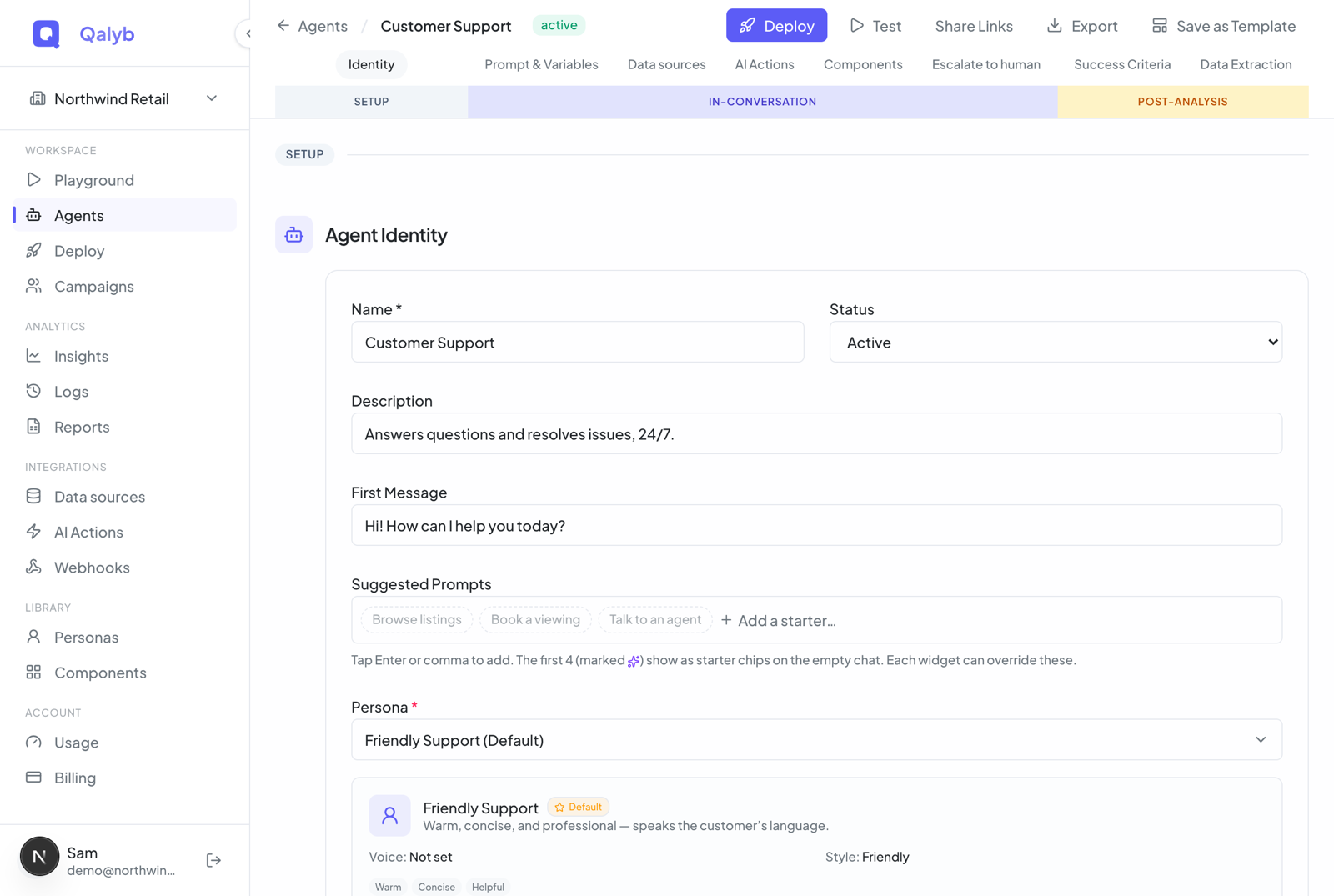
Click Agents in the left menu and open your agent. The builder follows the life of a conversation — Setup, In-conversation, Post-analysis. What your agent says lives in the first two: the First Message sits under Agent Identity, and the instructions under Prompt & Variables.
Under Prompt & Variables, write the agent's standing brief. Treat it like a runbook for a new employee, not a sales pitch: who the agent is, the jobs it does, the rules it must never break, and what to do when it's unsure. Short, scannable sections beat one long paragraph.
You are the front-desk concierge for {{business_name}}, a dental
clinic in Riyadh. You speak {{language}} and stay warm, brief, and professional.

## What you do
- Greet the caller and confirm who they are.
- Book, reschedule, or cancel appointments.
- Answer questions about hours, location, and pricing from the knowledge base.

## Rules
- Never quote a price you can't find in the knowledge base — say you'll have a
  colleague follow up instead.
- Confirm the date and time back to the caller before booking.
- If the caller is upset or asks for a human, escalate politely.

## Today
The current date is {{current_date}}. The caller's name is {{customer_name}}.Under Agent Identity, fill in the First Message — the first thing a caller hears or a chat visitor reads. Unlike the instructions, it's spoken or shown word for word, so keep it short, on-brand, and welcoming:
Marhaba! You've reached Riyadh Smile Clinic — how can I help?Hi {{customer_name}}, thanks for calling Acme Support. What's going on?
Leave it blank and the agent simply starts from its instructions with no scripted opener — useful when it should react to whatever the visitor says first.
Type @ anywhere in the instructions or first message to drop in a variable, or write one directly as {{customer_name}}. Then define it in the Variables panel: a snake_case name, a type, whether it's required, and a default. The details are just below.
Nothing changes until you save — the builder shows a sticky "You have unsaved changes" bar at the top with Save and Clear. Once saved, the new wording takes effect on the very next conversation. No redeploy needed.
What makes instructions hold up
- State the job, then the guardrails. Lead with what the agent should accomplish, then the hard limits ("never quote a price you can't verify").
- Make escalation explicit. Tell the agent when to hand off to a human and how — this stops it from improvising answers it shouldn't.
- Point at your business info, don't paste it. Facts that change — hours, pricing, policies — belong in a knowledge base, not hard-coded in the instructions. Reference it instead.
- Keep it dialect-aware. If callers speak Gulf or Levantine Arabic, say so in the instructions and pick a matching persona. The agent locks to the language of the first turn, so set expectations up front.
How variables work
Variables let one set of instructions serve many conversations. When a conversation starts (an outbound call, a web call, or a chat), you supply the values, and Qalyb fills them in before the agent reads a word. A required variable with no value and no default blocks the conversation from starting; everything else falls back to its default. Each variable definition has:
| Field | Notes |
|---|---|
name | snake_case identifier (e.g. customer_name). This is what you reference as {{customer_name}}. |
type | string, number, or boolean. |
required | Whether the value must be supplied for the conversation to start. |
default | Fallback value used when none is provided at conversation time. |
default wherever it makes sense. A greeting that reads Hi {{customer_name}} should fall back to something like there so a missing name never leaves an awkward gap mid-sentence.