Tips for a great agent
Great agents come from a short, repeatable loop — not one perfect prompt. Here are the habits our best-performing customers converge on.
A great Qalyb agent is rarely the result of one perfect prompt. It comes from a short, repeatable loop: write tight instructions, give the agent clean Data sources, test it in the Playground on the channels you'll actually use, and tighten it from what you see in real conversations. This page collects the defaults that pay off every time.
Write instructions like a checklist, not an essay
The system prompt is the single biggest lever on agent quality. Long, narrative prompts bury the rules the model actually needs to follow. Keep it scannable and structured. A reliable shape is: Role, What you can do, What you must NOT do, Tone, and Escalation.
# Role
You are the booking assistant for Acme Clinic in Muscat. You answer in the
caller's language and confirm appointments.

# What you can do
- Look up availability and book/reschedule appointments.
- Answer questions using the clinic's Data sources only.

# What you must NOT do
- Never quote prices that aren't in your Data sources.
- Never give medical advice. If asked, say a doctor will advise on the call.

# Tone
Warm, brief, professional. One question at a time. Confirm before booking.

# Escalation
If the caller is upset or asks for a human, call transfer_call to +96812345678.
A few rules that pay off every time:
- State the negative space. Models follow explicit prohibitions far better than implied ones. "Never quote a price that isn't in your Data sources" beats hoping it won't.
- One job per agent. A focused "bookings" agent outperforms one asked to do bookings, support, and sales. Split responsibilities and use
transfer_callto route between agents. - Put the greeting in First Message, not the prompt. The agent's opening line is its own field — it sets language and tone from the first second.
- Use variables for anything per-conversation. Write
{{customer_name}}or type@in the prompt editor to insert a variable, then fill it per call instead of hardcoding.
The full guide to instructions is at What your agent says.
voice or chat rather than duplicating the whole prompt.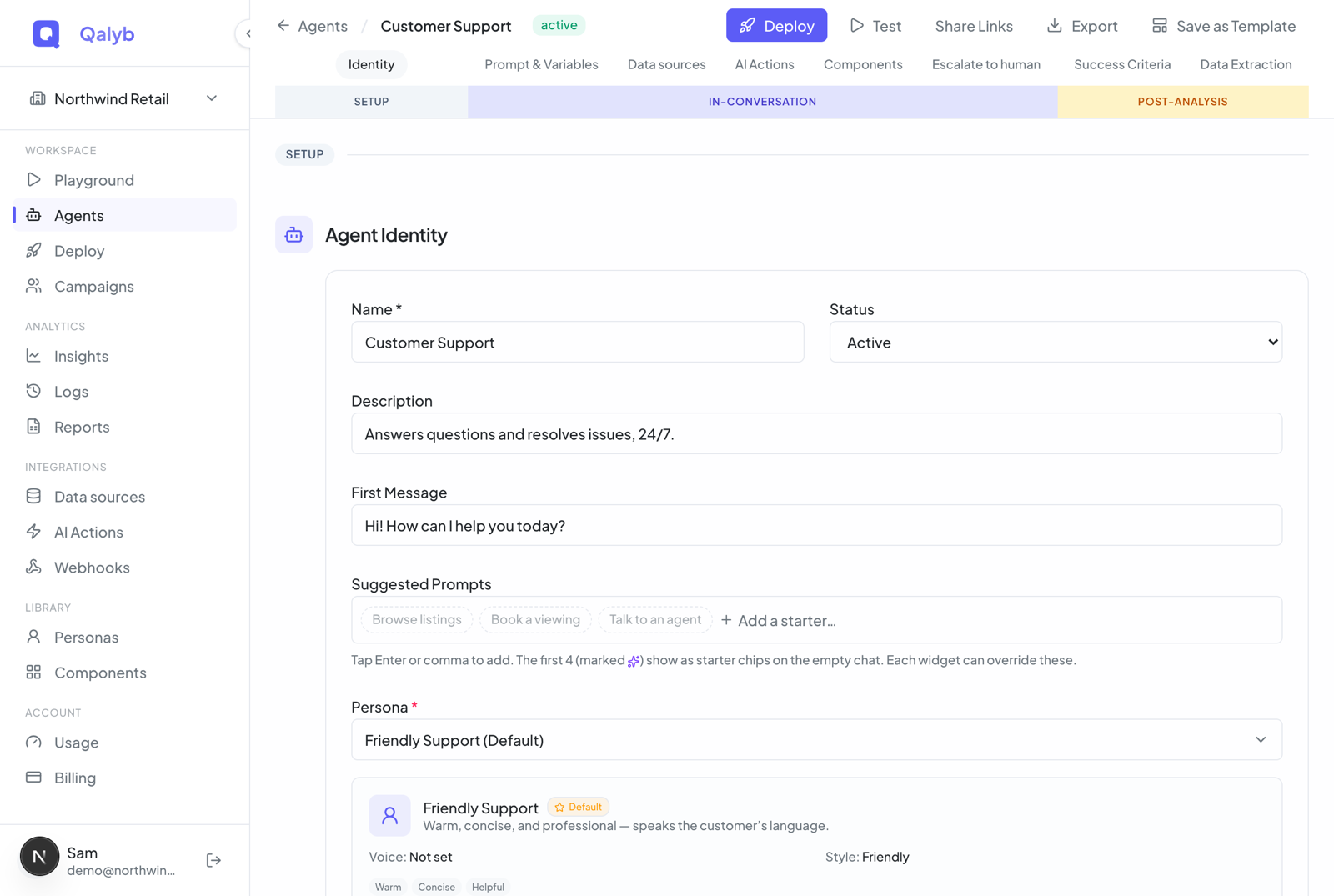
Structure Data sources so retrieval can find the answer
Data sources (knowledge bases) are how the agent answers from your content instead of guessing. Each base is indexed for retrieval, and the agent searches it at conversation time. There is no separate "retrain" step — adding, editing, or re-scraping a document re-indexes it immediately. See Add your business info.
- One topic per base, not one base per company. Separate bases (for example "Pricing", "Policies", "FAQ") give the agent cleaner, tighter tools to choose from. Each attached base becomes its own search action named after it, so a clear name like
Pricinghelps the model pick the right one. - Keep documents short and self-contained. A page that answers one question retrieves better than a 40-page PDF where the answer is buried on page 31. Prefer pasted Text or scraped URL docs for FAQs; reserve file uploads for content you genuinely have only as a document.
- Watch the status pill. A base only becomes a searchable action once its status is ready. Documents that are
pendingorfailedare silently skipped at runtime, so the agent won't be able to answer from them. - Re-scrape instead of letting URLs go stale. URL documents have a Re-scrape action that pulls fresh content from the live page.
Pick the voice and dialect for your callers, not for you
Voice and tone live in the Persona — a reusable bundle of Voice, Language, optional Accent, Communication Style, Personality Traits, and free-text Speaking Instructions that every agent attaches to. The single highest-impact choice is dialect match.
- Match the dialect to your audience. Gulf Arabic callers should hear a Gulf voice. A mismatched dialect reads as "foreign" long before anything else about the agent does.
- Set the language explicitly. Pick the persona Language so the agent locks to it from the first turn instead of drifting.
- Use Speaking Instructions for delivery, not facts. "Speak slowly, confirm numbers digit by digit" belongs here; product facts belong in Data sources.
- Reuse one persona across related agents. A consistent brand voice across your bookings, support, and sales agents is worth more than a slightly different voice for each.
Test in the Playground before you connect a channel
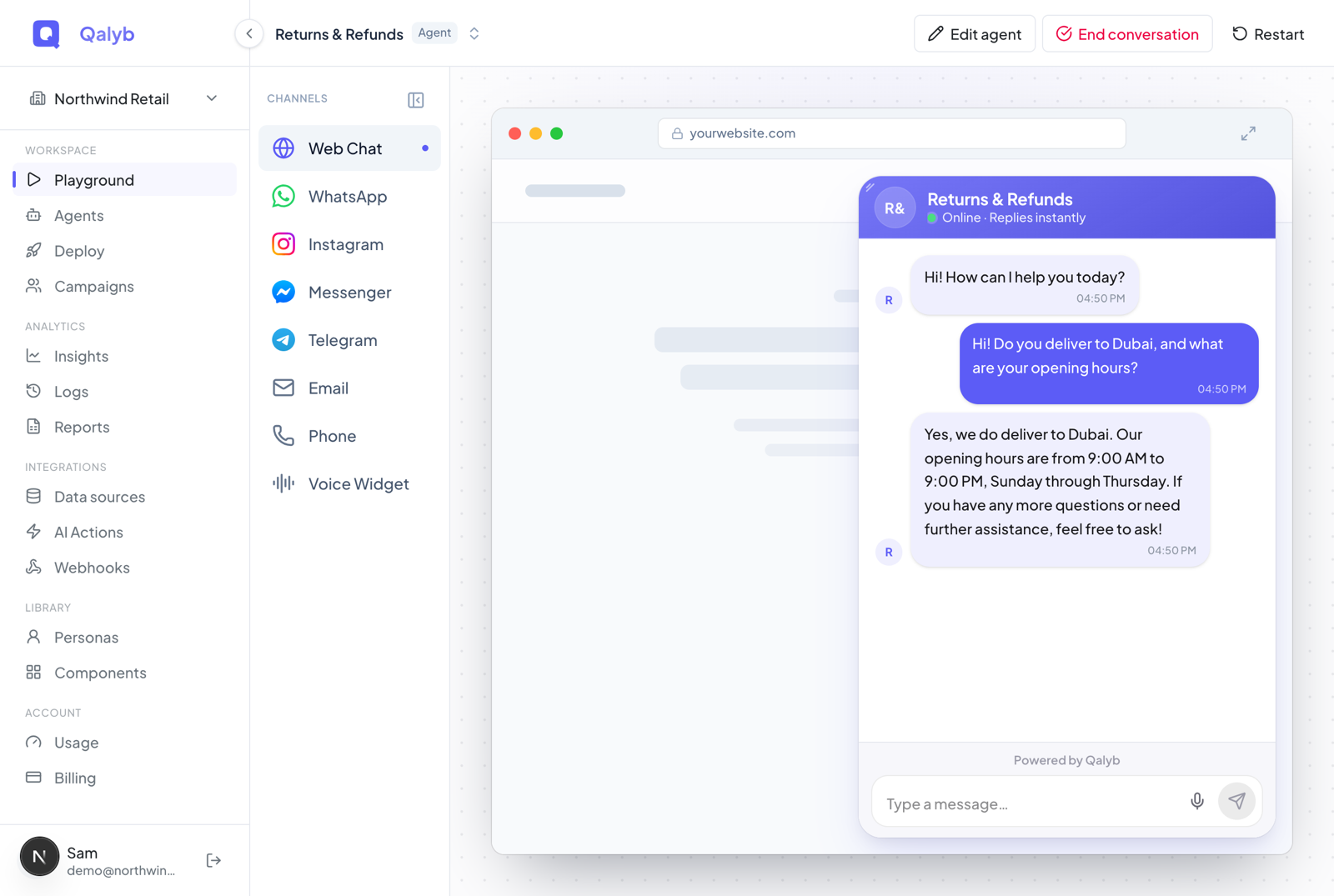
The Playground is your fastest feedback loop and the page you land on after login. It previews the selected agent through channel-accurate skins — Web Chat, Telegram, Email, Phone, and the Voice Widget (WhatsApp, Instagram and Messenger coming soon) — over the same transport your callers will use. Test on the channels you actually intend to deploy, because their capabilities differ. See Test before going live.
Choose the agent in the top-bar switcher. If it defines prompt variables, fill the required ones in the "Set up the conversation" gate so they're substituted before the first turn.
Pick the channel in the left rail. Web Chat and the Voice Widget render from your saved widget theme; switch to Phone to place a real outbound test call or simulate an inbound one.
Try gibberish, a question that should hit a Data source, an escalation request, and an off-topic ask. You're looking for where the agent over-promises, invents facts, or fails to hand off.
Use Edit agent to adjust the prompt or Data sources, then restart the conversation. Editing variables mid-session also restarts cleanly so you're always testing the current config.
Add AI Actions only when the agent needs to do something
AI Actions are the tools an agent can call. Reach for them when an answer requires doing something — searching the live web, ending or transferring a call, or hitting one of your systems — not for things a Data source already covers. Adding tools the agent never needs only widens the surface for it to call the wrong one.
- Built-in actions cover the common cases:
web_searchfor current information,crawl_websiteto read a site into a Data source,end_callto hang up gracefully, andtransfer_callto route to a number or another agent. Addtransfer_callto almost every voice agent so it always has a human escape hatch. - Integrations connect external apps (calendars, CRMs, helpdesks) through the AI Actions catalog. An admin connects the app once; agents then toggle its tools on.
- Prefer a Data source over web_search for stable facts. Your own hours, pricing, and policies should live in a base, not be re-searched on every call — it's faster, cheaper, and on-brand.
web_search and each Data-source query consumes a metered credit, so lean on them deliberately. Connecting a new integration requires an org admin, and the number of integrations you can attach per agent depends on your plan.Capture what matters with Success Criteria and Data Extraction
Two post-analysis settings turn raw conversations into something you can measure and act on. Configure them in the agent's Post-analysis section.
- Success Criteria let you define weighted, scored checks (with a passing score) so every conversation is graded against what "good" means for this agent — for example "confirmed the appointment" or "captured a callback number".
- Data Extraction pulls named fields out of each conversation so you get structured outcomes instead of transcripts to read.
[
  { "name": "caller_name",      "type": "string",  "required": true },
  { "name": "appointment_date", "type": "string",  "required": true },
  { "name": "is_new_patient",   "type": "boolean", "required": false }
]
Start with two or three fields you would otherwise copy by hand. Over-specifying the schema early makes extraction noisier, not better.
Iterate from real conversations
The agent you ship is a draft. Every Playground session and every real call is persisted, so the highest-leverage work after launch is reading conversations and tightening the agent against what actually happened.
- Read transcripts where it went sideways. The fix is almost always a missing prohibition in the prompt, a stale or missing Data source, or a tool the agent should (or shouldn't) have.
- Change one thing at a time. Tighten a single rule or document, re-run the same scenario in the Playground, and confirm the regression is gone before moving on.
- Promote what works. When an agent is dialed in, admins can Save as Template so the next agent starts from a proven baseline instead of a blank prompt.
- Keep the prompt lean as it grows. When you add a rule for an edge case, check whether an older rule is now redundant. Prompts rot by accretion; prune them.