Webhooks
After this page, Qalyb will notify your own backend the moment a call, widget chat, or messaging session starts, ends, or gets analyzed — so your CRM, scheduling system, or analytics pipeline stays in sync automatically.
POST requests (a tunnel like ngrok works while you build)How it works
You register a receiver URL in the dashboard and subscribe it to one or more events across channels. When an event fires, Qalyb assembles a payload from the call or chat session (status, transcript, recording, post-call analysis, plus any per-session metadata), signs it with your endpoint's secret, and POSTs it to your URL. Every attempt is recorded in the endpoint's Delivery Logs so you can see exactly what was sent and how your server responded.
Webhooks item in the dashboard sidebar, which is admin-only. Non-admins see an "Admin access required" wall on the create, edit, and detail pages. The underlying permissions are settings:read and settings:write.Create an endpoint
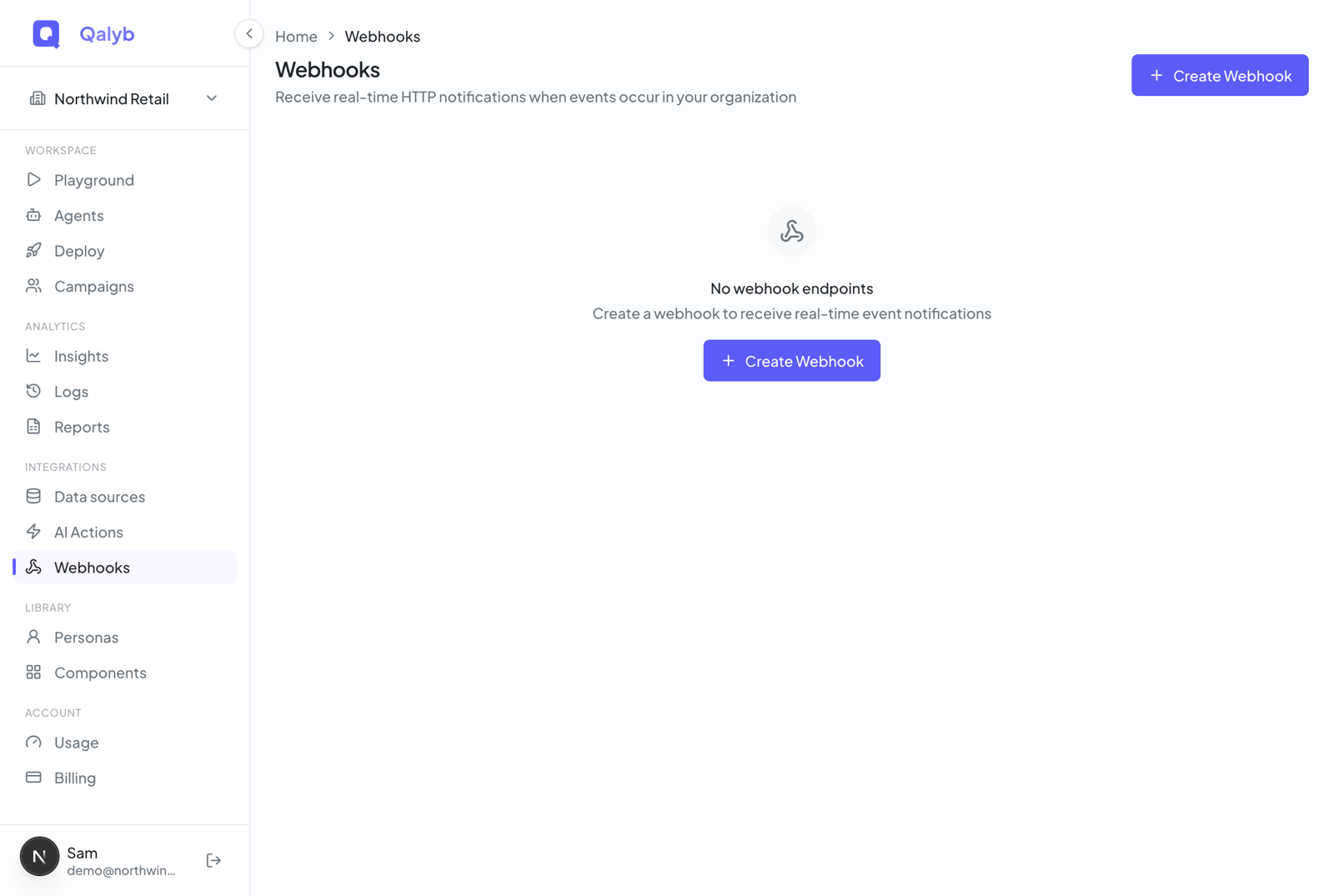
Go to Webhooks in the sidebar (route /webhooks), then Create Webhook (/webhooks/new).
Set a Name, an optional Description, and your Production URL (the public HTTPS endpoint that will receive deliveries). Toggle Active on. You can also enable Use built-in test receiver to capture deliveries inside the dashboard, or set a custom Test URL with Test Mode.
Choose the channels this endpoint listens to: Voice, Chat, or Widget. The list of available events depends on the channels you select.
Choose which events to subscribe to (with Select all / Deselect all shortcuts). Most integrations want at least call.completed and call.failed, plus call.analyzed if you consume post-call analysis.
Keep Send all fields (default), or switch to Custom fields and use the Payload Builder to ship only the specific leaf fields you need.
Click Create Webhook. You land on the endpoint's detail page with the signing secret (whs_...) revealed exactly once. Store it as QALYB_WEBHOOK_SECRET.
chat.started / chat.completed, but those two are not currently dispatched. Real conversation events arrive on the Widget channel (widget.started / widget.completed) and on messaging channels (for example whatsapp.started). Voice events (call.*) are the most complete and are recommended for production today.Event types
| Event | Channel | When it fires |
|---|---|---|
call.started | Voice | The call connected and the session began. |
call.completed | Voice | The call ended. Includes duration, transcript, and recording when available. |
call.failed | Voice | The call could not connect or ended in an unrecoverable error state. |
call.analyzed | Voice | Post-call analysis finished — summary, sentiment, success score, extracted data. |
widget.started | Widget | A web widget chat session started — fired when the visitor sends their first message (opening the widget alone creates no session). |
widget.completed | Widget | A web widget chat session ended. |
<channel>.started / .completed | Messaging | Messaging sessions (e.g. whatsapp.started, telegram.completed), derived from the session channel type. |
Payload shape
Each delivery is a single JSON object describing the session that triggered the event. The top-level fields are event, channel, and a timestamp, followed by a call (or chat) object and the optional transcript, recording, analysis, report, and metadata blocks. Fields that aren't ready yet arrive as null.
{
  "event": "call.completed",
  "channel": "voice",
  "timestamp": "2026-06-27T12:34:56.000Z",
  "call": {
    "id": "5e9c1d2a-2f4b-4a7e-9b16-7c1a8f9c3a01",
    "status": "completed",
    "direction": "outbound",
    "durationSeconds": 142,
    "fromNumber": "+97144000000",
    "toNumber": "+971501234567",
    "agentId": "agt_3f21",
    "agentName": "Bookings Concierge",
    "startedAt": "2026-06-27T12:32:34.000Z",
    "endedAt": "2026-06-27T12:34:56.000Z"
  },
  "transcript": {
    "fullText": "Agent: Marhaba! ... Caller: ...",
    "turns": [ { "role": "agent", "text": "Marhaba!" } ]
  },
  "recording": {
    "url": "https://storage.googleapis.com/qalyb-prod/recordings/...mp4",
    "durationSeconds": "142"
  },
  "analysis": null,
  "report": null,
  "metadata": { "campaignId": "camp_88" }
}
On call.analyzed, the analysis and report blocks are populated with the post-call results:
{
  "event": "call.analyzed",
  "channel": "voice",
  "timestamp": "2026-06-27T12:35:40.000Z",
  "call": { "id": "5e9c1d2a-...", "status": "completed", "agentId": "agt_3f21" },
  "transcript": { "fullText": "...", "turns": [] },
  "analysis": {
    "summary": "Caller booked a follow-up for Tuesday 10:00.",
    "sentiment": "positive",
    "topics": ["appointment", "follow-up"],
    "actionItems": ["Send confirmation SMS"]
  },
  "report": {
    "successScore": 0.92,
    "criteriaResults": [ { "criterion": "appointment_booked", "passed": true } ],
    "extractedData": { "appointment_time": "2026-07-01T10:00:00+04:00" }
  },
  "metadata": null
}Delivery headers
Every request carries these headers:
X-Qalyb-Signature: t=1782563696,v1=4f8c0e3a9b2d1f6e...
X-Qalyb-Event: call.completed
X-Qalyb-Delivery-Id: d3b07384-d9a0-4c9b-bf2e-9a1c2d3e4f50
User-Agent: Qalyb-Webhooks/1.0
Content-Type: application/json| Header | Meaning |
|---|---|
X-Qalyb-Signature | HMAC signature as t=<unix-ts>,v1=<hex>. See verification below. |
X-Qalyb-Event | The event name (e.g. call.completed) — convenient for routing. |
X-Qalyb-Delivery-Id | Unique per delivery attempt. Use it as an idempotency key. |
User-Agent | Always Qalyb-Webhooks/1.0. |
Verify the signature
The X-Qalyb-Signature header is not a bare HMAC of the body. It has the form t=<unix-timestamp>,v1=<hmac-sha256-hex>, and the signed string is "<timestamp>.<raw-body>" — the timestamp, a literal dot, then the exact bytes of the request body. Compute the same HMAC-SHA256 with your endpoint secret and compare in constant time.
const crypto = require('crypto');

function verifyWebhookSignature(body, signature, secret) {
  // Header format: t=<unix-ts>,v1=<hmac-sha256-hex>
  const [tPart, v1Part] = signature.split(',');
  const timestamp = tPart.replace('t=', '');
  const expectedSig = v1Part.replace('v1=', '');

  // The signed string is "<timestamp>.<raw-body>" — NOT the bare body.
  const payload = `${timestamp}.${body}`;
  const hmac = crypto.createHmac('sha256', secret);
  hmac.update(payload);
  const computed = hmac.digest('hex');

  return crypto.timingSafeEqual(
    Buffer.from(computed, 'hex'),
    Buffer.from(expectedSig, 'hex'),
  );
}
The equivalent in Python:
import hmac
import hashlib

def verify_webhook_signature(body: str, signature: str, secret: str) -> bool:
    # Header format: t=<unix-ts>,v1=<hmac-sha256-hex>
    parts = dict(p.split("=", 1) for p in signature.split(","))
    timestamp = parts["t"]
    expected = parts["v1"]

    # The signed string is "<timestamp>.<raw-body>" — NOT the bare body.
    payload = f"{timestamp}.{body}"
    computed = hmac.new(
        secret.encode(), payload.encode(), hashlib.sha256
    ).hexdigest()

return hmac.compare_digest(computed, expected)express.raw(); in Flask, use request.data.A working Express receiver
import express from 'express';

const app = express();
const SECRET = process.env.QALYB_WEBHOOK_SECRET ?? '';

// IMPORTANT: keep the RAW body — re-serialized JSON will not match the signature.
app.post(
  '/webhooks/qalyb',
  express.raw({ type: 'application/json' }),
  (req, res) => {
    const signature = req.header('X-Qalyb-Signature') ?? '';
    const rawBody = req.body.toString('utf8');

    if (!verifyWebhookSignature(rawBody, signature, SECRET)) {
      return res.status(401).send('bad signature');
    }

    const deliveryId = req.header('X-Qalyb-Delivery-Id') ?? '';
    // Use deliveryId for idempotency — bail if you've already processed it.

    const payload = JSON.parse(rawBody);
    switch (payload.event) {
      case 'call.completed':
        // ...your logic (payload.call, payload.transcript, payload.recording)
        break;
      case 'call.analyzed':
        // ...post-call analysis (payload.analysis, payload.report)
        break;
      case 'call.failed':
        // ...your logic
        break;
    }

    // Respond 2xx fast — do heavy work asynchronously.
    return res.status(200).send('ok');
  },
);

app.listen(3000);
Deliveries, retries, and idempotency
Open an endpoint's detail page to watch Delivery Logs — each row shows the event, your response status, and the attempt history. You can also fetch deliveries programmatically:
curl https://api.qalyb.ai/webhooks/<endpoint-id>/deliveries \
-H "Authorization: Bearer sk-live-..."- 2xx — the delivery is marked successful and is not retried.
- Non-2xx / network error — the delivery is recorded as failed. In production, deliveries are enqueued through the Cloud Tasks webhooks queue for retry; in local/direct mode a single attempt is made.
- Idempotency — use
X-Qalyb-Delivery-Idas a primary key in aprocessed_webhookstable and return early if you've already seen it.
Test before you go live
Three tools on the detail page make testing painless:
- Send Test posts a synthetic
call.completedpayload to your endpoint so you can confirm signature verification and routing end to end. - Use built-in test receiver (set on the General tab) routes deliveries to a Qalyb-hosted capture URL; the Test Receiver tab then shows the captured requests. It keeps the most recent requests in memory, so it's for ad-hoc inspection rather than durable storage.
- Test Mode + Test URL diverts live deliveries to your test URL instead of the production URL — point it at a tunnel such as
ngrok http 3000while you build.
Rotate the signing secret
On the detail page's Security section you can reveal the masked secret (whs_...XXXXXX) or Rotate it. Rotation returns a fresh whs_ secret in full exactly once — update QALYB_WEBHOOK_SECRET in your receiver before the next delivery, since the old secret stops validating immediately.