Create agents via API
After this page, you can run the full agent lifecycle from code: create an agent with a persona and instructions, then list, update, and delete it — no dashboard clicks required.
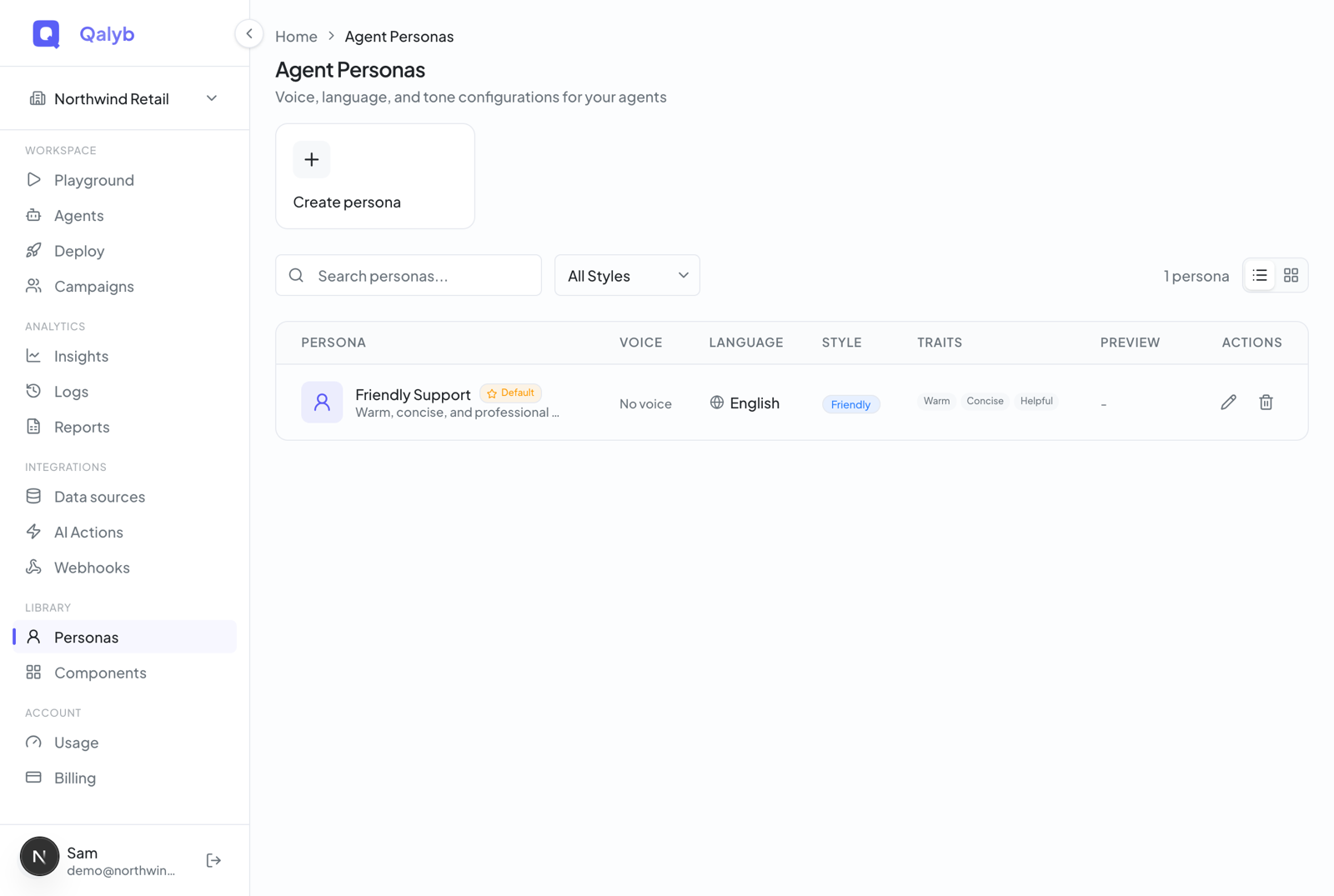
A persona bundles voice, language, and tone. Build one in the dashboard under Personas, or reuse one of the system personas. The persona id is what you pass as personaId when creating an agent.
Pass an instructions object with a short systemPrompt (who the agent is, what it's allowed to do) and an optional greeting (the line the agent opens every conversation with). Use {{variable_name}} placeholders for anything you'll inject per-call.
curl -X POST https://api.qalyb.ai/v1/agents \
  -H "Authorization: Bearer sk-live-..." \
  -H "Content-Type: application/json" \
  -d '{
    "name": "Bookings Concierge",
    "description": "Books appointments at Acme Clinic.",
    "personaId": "p47e2c12-8b8d-4f8e-9b16-7c1a8f9c3a01",
    "instructions": {
      "systemPrompt": "You are a friendly receptionist for Acme Clinic. Greet the caller, confirm the appointment time, and book it.",
      "greeting": "Marhaba! Welcome to Acme Clinic."
    },
    "knowledgeBaseIds": ["kb_clinic_faq"],
    "toolIds": ["book_appointment", "lookup_customer"]
  }'
From the SDK:
import { Qalyb } from '@qalyb/sdk';

const qalyb = new Qalyb({ apiKey: process.env.QALYB_API_KEY! });

const agent = await qalyb.agents.create({
  name: 'Bookings Concierge',
  personaId: 'p47e2c12-8b8d-4f8e-9b16-7c1a8f9c3a01',
  description: 'Books appointments at Acme Clinic.',
  instructions: {
    systemPrompt:
      'You are a friendly receptionist for Acme Clinic. Greet the caller, confirm the appointment time, and book it.',
    greeting: 'Marhaba! Welcome to Acme Clinic.',
  },
  knowledgeBaseIds: ['kb_clinic_faq'],
  toolIds: ['book_appointment', 'lookup_customer'],
});

console.log(agent.id);curl https://api.qalyb.ai/v1/agents \
-H "Authorization: Bearer sk-live-..."PATCH applies a partial update — only the fields you send change. Persona, instructions, knowledge bases, tools, status: all editable without redeploying.
curl -X PATCH https://api.qalyb.ai/v1/agents/agt_abc123 \
  -H "Authorization: Bearer sk-live-..." \
  -H "Content-Type: application/json" \
  -d '{
    "description": "Books appointments and renewals at Acme Clinic.",
    "instructions": { "systemPrompt": "Updated prompt..." },
    "status": "active"
}'curl -X DELETE https://api.qalyb.ai/v1/agents/agt_abc123 \
-H "Authorization: Bearer sk-live-..."Once the agent exists, put it to work: place a real phone call with Place calls via API, run it in the browser with web calls, or get notified about every conversation with webhooks.